
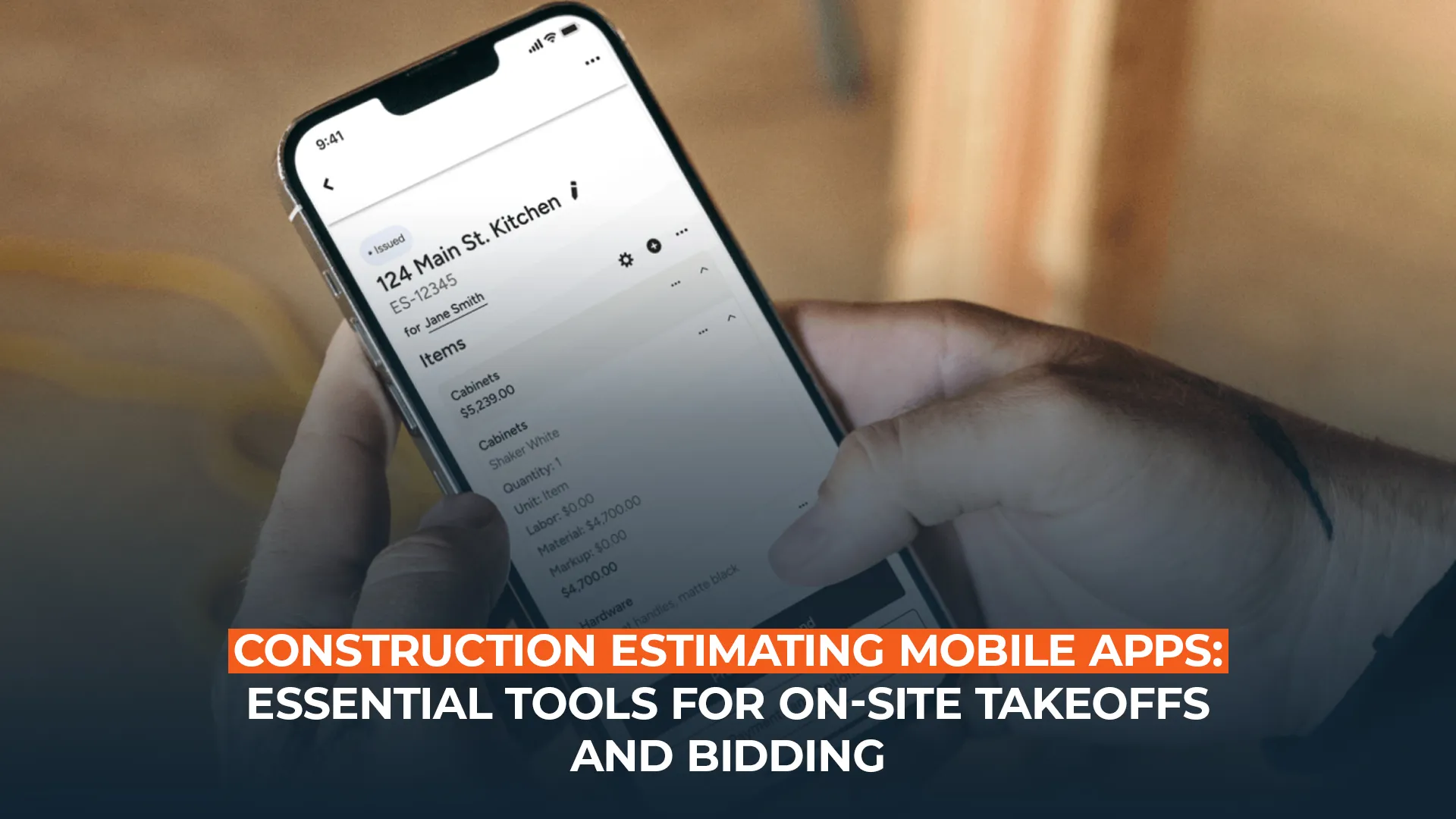
Mobile technology has revolutionized construction estimating by enabling on-site measurements, real-time quantity capture, instant photo documentation, and immediate cost calculations from smartphones and tablets. Construction estimating mobile apps eliminate office delays, improve accuracy through direct field observation, and accelerate bid preparation allowing contractors to respond faster with better information. Understanding mobile app capabilities, selection criteria, and implementation strategies helps contractors leverage mobile technology for competitive advantage.
This guide examines leading mobile estimating apps, essential features, on-site workflows, integration approaches, and best practices for successful mobile estimating adoption.
Learn more about Bids Analytics’ construction estimating services supporting modern mobile workflows.
Understanding Mobile Estimating Technology
Mobile estimating apps bring professional takeoff and cost calculation capabilities to smartphones and tablets enabling field-based estimating workflows previously impossible with office-only systems.
Mobile Estimating Evolution
Phase 1 (2008-2012): Basic calculators and note-taking apps provided simple calculations and documentation but lacked construction-specific functionality.
Phase 2 (2013-2016): Dedicated construction apps emerged offering measurement tools, photo annotation, and basic quantity tracking tailored to construction needs.
Phase 3 (2017-2020): Professional platforms delivered comprehensive estimating capabilities including drawing markup, detailed takeoffs, cost databases, and proposal generation on mobile devices.
Phase 4 (2021-Present): Integrated ecosystems connect mobile apps seamlessly with office systems, cloud platforms, and enterprise software enabling unified workflows.
Modern mobile apps rival desktop software capabilities while adding unique field advantages including immediate site access, photo-based measurements, voice notes and annotations, GPS location tagging, and real-time collaboration.
Understanding mobile evolution guides realistic capability expectations. Professional estimating services leverage mobile tools appropriately.
For comprehensive estimating support, visit Bids Analytics.
Mobile vs Desktop Estimating
| Aspect | Desktop Estimating | Mobile Estimating |
| Location flexibility | Office-bound | Anywhere with device |
| Site access | Requires return to office | Immediate on-site |
| Screen size | 20-30+ inches | 6-13 inches |
| Input method | Mouse and keyboard | Touch and stylus |
| Processing power | High capability | Moderate (improving) |
| Connectivity | Wired/WiFi | Cellular/WiFi |
| Photo integration | Manual import | Instant capture |
| Best use case | Detailed final estimates | Quick takeoffs, site visits |
Mobile complements rather than replaces desktop estimating. Optimal workflows combine mobile field capture with desktop refinement and finalization.
Key Mobile Advantages
Immediate site access eliminates delays waiting for site visits, measurements during property walkthroughs, instant capture of existing conditions, and same-day estimate delivery.
Photo-based documentation provides visual context for quantities, before/after condition records, annotation directly on photos, and supporting evidence for pricing.
Real-time collaboration enables field questions answered immediately, client input during site visits, instant estimate updates, and team coordination.
Faster response times support same-day preliminary estimates, competitive advantage in fast markets, and increased proposal volume with same resources.
Mobile advantages particularly benefit residential contractors, remodeling specialists, service contractors, and anyone requiring rapid response capabilities.
Essential Mobile App Features
Effective mobile estimating apps provide comprehensive functionality supporting complete field workflows from measurement through proposal delivery.
Measurement and Takeoff Tools
Photo-based measurement:
- Capture photos of spaces or components
- Scale photos using reference dimensions
- Measure linear, area, and volume quantities
- Annotate measurements on images
- Generate quantity reports instantly
GPS measurements:
- Measure distances using GPS positioning
- Calculate site perimeters and areas
- Record elevation changes
- Map site layouts
- Export to drawings or reports
Manual input tools:
- Linear dimension entry
- Area calculations from dimensions
- Count tools for repetitive items
- Volume calculations
- Quick estimation templates
Augmented reality (AR) features:
- Point device camera at space
- Automatically measure walls and rooms
- 3D space visualization
- Real-time dimension overlay
AR represents cutting-edge mobile capability with improving accuracy as technology matures.
Cost Database Integration
Material pricing:
- Built-in material cost databases
- Custom pricing libraries
- Supplier catalog integration
- Regional cost adjustments
- Price history tracking
Labor rates:
- Standard productivity rates
- Custom crew compositions
- Regional wage variations
- Equipment allocation
- Burden and overhead
Assembly libraries:
- Pre-built scope assemblies
- Common installation packages
- Custom assembly creation
- Quick pricing templates
- Trade-specific libraries
Comprehensive cost databases enable accurate pricing without office access or extensive manual calculation.
Building cost estimating integrates mobile and desktop pricing approaches.
Drawing and Document Handling
PDF plan viewing:
- Import and view construction drawings
- Zoom and pan navigation
- Multiple sheet management
- Scale calibration
- Measurement on drawings
Markup and annotation:
- Highlight quantities on plans
- Add notes and dimensions
- Color-coded markup layers
- Callouts and labels
- Export marked-up drawings
Document storage:
- Store specifications and documents
- Quick reference access
- Search functionality
- Offline access
- Cloud synchronization
Mobile document handling enables comprehensive field reference without physical document transport.
Proposal Generation
Automated proposal creation:
- Professional formatted proposals
- Detailed scope descriptions
- Itemized cost breakdowns
- Photo integration
- Terms and conditions
Multiple output options:
- PDF proposals
- Email delivery
- Text message links
- Online interactive quotes
- Printed hard copies
Client presentation:
- Review proposals on-site with clients
- Make real-time adjustments
- Address questions immediately
- Obtain electronic signatures
- Process deposits
On-site proposal delivery and approval accelerates sales cycles dramatically compared to traditional office-based proposal preparation.
Leading Mobile Estimating Apps
The mobile construction app market offers numerous solutions with varying capabilities, specializations, and pricing models.
Comprehensive Mobile Platforms
STACK provides cloud-based estimating optimized for mobile with complete takeoff, pricing, and proposal capabilities. Strengths include intuitive interface, excellent mobile experience, and seamless cloud sync. Pricing: $2,499-$3,999/year. Best for contractors prioritizing mobile-first workflows.
JobTread delivers mobile estimating, project management, and client communication in unified platform. Strengths include comprehensive feature set, client portal, and service contractor focus. Pricing: $49-$299/month. Best for residential and remodeling contractors.
Joist (formerly Cubitts) offers contractor invoicing and estimating with excellent mobile experience. Strengths include simplicity, contractor-friendly design, and affordable pricing. Pricing: $29-$99/month. Best for small contractors and service businesses.
ServiceTitan provides service contractor platform with mobile estimating, dispatching, and customer management. Strengths include comprehensive service business tools and excellent mobile capabilities. Pricing: Custom (typically $500-$2,000/month). Best for HVAC, plumbing, and electrical service contractors.
CompanyCam focuses on photo documentation with expanding estimating features including photo-based measurements and project organization. Strengths include exceptional photo capabilities and team collaboration. Pricing: $59-$179/user/month. Best for visual documentation needs.
Specialty Mobile Apps
Hover (residential exterior) uses smartphone photos to create 3D models generating accurate measurements for roofing, siding, and exterior work. Strengths include automatic measurement generation and homeowner visualization. Pricing: $35-$55/project. Best for residential exterior contractors.
Magicplan creates floor plans and measurements from photos enabling quick space documentation and quantity calculations. Strengths include floor plan generation speed and furniture placement visualization. Pricing: Free basic, $10-$30/month premium. Best for interior contractors and renovation work.
PlanGrid (Autodesk) delivers construction document management with mobile takeoff capabilities and excellent field coordination. Strengths include robust document handling and integration with Autodesk ecosystem. Pricing: $39-$59/user/month. Best for document-heavy commercial projects.
Fieldwire provides task management and drawings with basic estimating features optimized for mobile field use. Strengths include task coordination and plan markup. Pricing: Free basic, $39-$54/user/month premium. Best for field coordination with basic estimating needs.
Photo Measurement Specialists
MagicPlan generates floor plans from photos with automated measurements providing quick space documentation for estimates. Best for remodeling and interior work.
Roof Snap (roofing specific) uses aerial imagery and photos for roof measurements eliminating dangerous roof access. Best for roofing contractors.
EagleView provides aerial measurement reports for roofing, solar, and exterior projects with high accuracy. Pricing: $15-$75/report. Best for exterior contractors needing precise measurements.
Third-party measurement services supplement mobile apps when specialized accuracy or convenience justifies per-report costs.
Roofing estimating services often leverage photo measurement technology.
Mobile Workflows and Use Cases
Mobile estimating apps excel in specific scenarios where field access, speed, or client interaction provides advantages.
Residential New Construction
Site visit workflow:
- Walk property with tablet and app
- Photograph lot and surrounding conditions
- Measure building footprint areas
- Note site challenges and conditions
- Capture client preferences and requirements
- Generate preliminary estimate on-site
- Review pricing with client immediately
- Obtain commitment or deposit
Time savings: 2-4 site visits reduced to 1, same-day estimate versus 3-5 day turnaround.
Residential construction estimating benefits significantly from mobile capabilities.
Remodeling and Renovation
Assessment process:
- Meet client at property
- Document existing conditions with photos
- Measure spaces requiring work
- Identify demolition requirements
- Note concealed condition concerns
- Calculate quantities and pricing
- Present options and pricing on-site
- Adjust based on client feedback immediately
Advantages: Visual confirmation of scope, immediate client interaction, reduced miscommunication, and faster project starts.
Home remodeling services leverage mobile technology extensively.
Service and Repair Work
Service call integration:
- Technician assesses problem on-site
- Photos document issue and requirements
- Calculate repair or replacement costs
- Present pricing to customer immediately
- Obtain approval and collect payment
- Schedule work or complete same-visit
Benefits: Eliminate return trips, improve close rates, accelerate cash flow, and enhance customer satisfaction.
Service contractors achieve highest mobile estimating ROI through same-visit estimates and approvals.
Commercial Site Surveys
Pre-bid site visits:
- Document site conditions
- Measure existing spaces
- Photograph areas requiring work
- Note access and logistics challenges
- Record questions for clarification
- Create preliminary quantity takeoff
- Refine in office with formal estimate
Efficiency: Comprehensive field documentation reduces return visits and improves estimate accuracy through better understanding.
Commercial construction estimating combines mobile field work with desktop finalization.
Change Order Estimating
On-site change management:
- Document changed conditions immediately
- Photograph issues or new requirements
- Calculate additional quantities
- Generate change order pricing
- Present to client or owner rep on-site
- Obtain approval quickly
- Minimize project delays
Impact: Faster approvals, reduced disputes, improved cash flow, and maintained schedule momentum.
Integration and Ecosystem
Mobile apps deliver maximum value when integrated seamlessly with office systems, cloud platforms, and business processes.
Cloud Synchronization
Real-time data sync:
- Field measurements upload instantly
- Office updates available immediately
- Team members access current information
- Eliminate version conflicts
- Maintain single source of truth
Offline capabilities:
- Work without internet connection
- Store data locally until reconnection
- Automatic sync when online
- Essential for remote locations
Storage and backup:
- Automatic cloud backup
- Data protection and security
- Access from any device
- Disaster recovery
Cloud integration enables distributed teams working efficiently across field and office locations.
Desktop Software Integration
Seamless data flow:
- Mobile field measurements to desktop estimating
- Desktop cost databases to mobile pricing
- Bidirectional updates maintaining consistency
- Unified reporting and analytics
Supported integrations:
- QuickBooks accounting sync
- Procore project management connection
- Microsoft Office integration
- Email and calendar connectivity
API capabilities:
- Custom integration development
- Third-party tool connections
- Workflow automation
- Enterprise system integration
Integration prevents duplicate data entry, improves accuracy, and enables efficient workflows.
Customer-Facing Features
Client portals:
- Clients access proposals online
- Review photos and documentation
- Request changes or alternatives
- Approve and sign electronically
- Make deposits or payments
Communication tools:
- In-app messaging
- Automated status updates
- Photo sharing
- Document distribution
Marketing integration:
- CRM system connections
- Lead tracking
- Referral management
- Review and rating systems
Customer-facing features enhance service delivery and differentiate contractors from competitors.
Implementation and Adoption
Successful mobile estimating adoption requires structured implementation addressing technology, training, and organizational change.
Selection and Deployment
Evaluation criteria:
- Feature match to business needs
- User interface and ease of use
- Integration with current systems
- Pricing and contract terms
- Vendor support and training
- Mobile platform support (iOS/Android)
Pilot program (1-2 months):
- Select 2-3 team members
- Test on real projects
- Gather feedback and observations
- Compare results to traditional methods
- Identify workflow improvements needed
Rollout plan (2-4 months):
- Train entire estimating team
- Establish standard procedures
- Create templates and libraries
- Monitor adoption and usage
- Provide ongoing support
Gradual deployment manages risk while building organizational capability.
Training Strategies
Initial training (4-8 hours per user):
- App navigation and basic features
- Measurement and takeoff techniques
- Cost database usage
- Proposal generation
- Photo and documentation
- Sync and integration
Advanced training (4-6 hours):
- Efficiency techniques and shortcuts
- Custom assembly creation
- Advanced markup and annotation
- Integration with desktop tools
- Troubleshooting common issues
Ongoing support:
- Regular tips and tricks sessions
- New feature training
- Best practice sharing
- Peer mentoring
Adequate training investment determines adoption success. Organizations skimping on training experience poor adoption and value realization.
Change Management
Resistance factors:
- Comfort with traditional methods
- Technology apprehension
- Small screen concerns
- Learning curve reluctance
Adoption strategies:
- Demonstrate time savings clearly
- Highlight competitive advantages
- Start with enthusiastic early adopters
- Share success stories
- Provide excellent support
Performance tracking:
- Measure estimate turnaround time
- Track win rates
- Monitor user adoption rates
- Assess customer satisfaction
- Calculate ROI
Visible wins and clear benefits drive organizational adoption.
Security and Data Protection
Mobile devices create unique security challenges requiring comprehensive protection strategies.
Data Security Measures
Device security:
- Password/PIN protection
- Biometric authentication (fingerprint/face)
- Remote wipe capability
- Encryption at rest
- Secure communication protocols
Access control:
- User authentication
- Role-based permissions
- Multi-factor authentication
- Session timeouts
- Audit logging
Network security:
- VPN for public WiFi
- Secure cloud connections
- Data encryption in transit
- Certificate validation
Compliance Requirements
Privacy regulations:
- Client information protection
- GDPR compliance (if applicable)
- Data retention policies
- Breach notification procedures
Industry standards:
- Payment card security (PCI DSS)
- Data handling best practices
- Insurance requirements
- Contract obligations
Lost or Stolen Device Procedures
Immediate response:
- Remote device lock
- Remote data wipe
- Password change
- Access revocation
- Incident documentation
Prevention measures:
- Device tracking enabled
- Regular backups
- Cloud storage (not local)
- Minimal sensitive data on devices
Security protocols protect proprietary information and client confidentiality while enabling mobile productivity.
ROI and Business Case
Mobile estimating investment requires justification through quantifiable returns demonstrating value beyond technology enthusiasm.
Cost Analysis
Hardware investment:
- Smartphones: $400-$1,200 each
- Tablets: $300-$1,000 each
- Stylus and accessories: $50-$200
- Protective cases: $30-$100
- Typical per-user: $800-$1,500
Software costs:
- App subscriptions: $300-$1,200/user annually
- Cloud storage: $100-$300/user annually
- Integration fees: $500-$2,000 one-time
- Total software: $1,000-$3,000/user annually
Training and implementation:
- Initial training: $500-$1,500/user
- Ongoing support: $200-$500/user annually
- Process development: $2,000-$5,000 one-time
Total first-year investment: $3,000-$7,000 per user.
Quantifiable Returns
Time savings:
- Site visit reduction: Save 4-8 hours per estimate
- Faster takeoff: Save 2-4 hours per estimate
- Reduced office time: Save 3-5 hours per estimate
- Total: 10-15 hours saved per estimate
- Value: $600-$1,500 per estimate
Increased capacity:
- 30-50% more estimates with same resources
- Expanded service territory
- More bids submitted
- Higher proposal volume
Win rate improvement:
- Faster response: +10-15% win rate
- Same-day estimates: +15-25% win rate
- Professional presentation: +5-10% win rate
- Combined impact: +20-35% win rate
Revenue impact: Typical contractor doing 100 estimates/year shows $60,000-$150,000 additional revenue from improved efficiency and win rates providing 10-20x first-year ROI.
Qualitative Benefits
Customer experience:
- Professional image
- Convenient service delivery
- Immediate responses
- Enhanced communication
Competitive advantage:
- Technology leadership
- Service differentiation
- Market positioning
- Referral generation
Employee satisfaction:
- Modern tools
- Reduced tedious work
- Field empowerment
- Professional development
Qualitative benefits often exceed quantifiable returns justifying mobile adoption for strategic reasons beyond direct ROI.
Professional estimating services help maximize mobile technology returns.
Best Practices
Start simple:
- Begin with basic features
- Master fundamentals before advanced capabilities
- Build confidence through success
- Expand usage gradually
Standardize workflows:
- Create consistent procedures
- Develop templates and checklists
- Document best practices
- Share across team
Leverage photos:
- Comprehensive site documentation
- Before/after records
- Scope validation
- Client communication
Maintain devices:
- Regular updates and maintenance
- Adequate battery life
- Screen protection
- Backup devices for critical users
Measure results:
- Track time savings
- Monitor adoption rates
- Calculate ROI
- Gather user feedback
Professional Mobile-Enhanced Services
Mobile technology expertise requires understanding capabilities, limitations, and optimal applications. Bids Analytics provides comprehensive estimating services leveraging mobile and traditional tools appropriately:
Project type expertise:
Trade-specific services across all disciplines integrating mobile and desktop workflows.
FAQs
Can mobile apps replace desktop estimating software?
Mobile apps complement rather than replace desktop software; best for quick field takeoffs and preliminary estimates while complex detailed estimates still benefit from desktop capabilities and larger screens.
What is the best mobile estimating app?
Best app depends on business type; STACK leads for general contractors, Joist excels for small service contractors, Hover dominates residential exterior, and ServiceTitan rules HVAC/plumbing services.
How accurate are photo-based measurements?
Photo measurements achieve 95-98% accuracy for simple rectangular spaces, 90-95% for complex areas, requiring proper calibration, good lighting, and user technique; always verify critical dimensions.
Do mobile apps work without internet?
Most quality apps offer offline functionality storing data locally and syncing when reconnected; essential for rural locations and areas with poor cellular coverage.
What is the ROI of mobile estimating apps?
Typical ROI shows 10-20x returns in first year through time savings (10-15 hours per estimate), increased capacity (30-50% more bids), and improved win rates (20-35% increase).
Leave a Comment